lunes, 14 de julio de 2014

Adding NTFS support on MacOSx Mavericks


I had some problems in my Macbook and the interaction with a portable HDD toshiba formatted in NTFS. Once you open the box and start to use the mac, you can copy files only in one direction, from the HDD to the computer. Is posible to have complete support for copy, transfer or erase using three software.

I recommend you to install in this order:

1.- OSXfuse http://sourceforge.net/projects/osxfuse/files/osxfuse-2.7.0/osxfuse-2.7.0.dmg/download, with Macfuse compatibility layer option activated.

2.- NTFS-3g http://sourceforge.net/projects/catacombae/files/NTFS-3G%20for%20Mac%20OS%20X/2010.10.2/ntfs-3g-2010.10.2-macosx.dmg/download . Then reboot when the setup is done and the software ask for it.

Every time a USB or HDD in ntfs is connected to the mac a message of time error appear in the screen, if you do not want that to happened, simple install the fuse-wait  dmg.

3.- Fuse-wait https://github.com/bfleischer/fuse_wait/downloads, the message will not appear anymore.

In some other post I found it suppose to work only installing OSXfuse, but for me work in this way.

Hope can help.

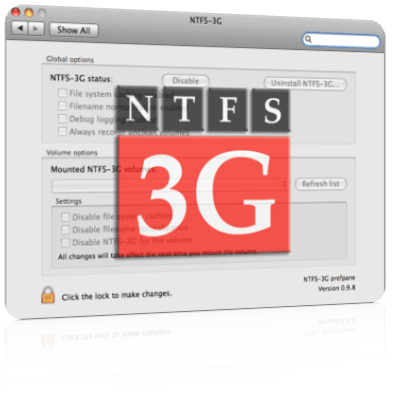
[1] .- Image : http://www.appleosx86.com/en/herramientas-mac/ntfs-3g-en-mac-64-bits-snow-leopard/


viernes, 20 de junio de 2014

How to put some crazy protein in PDF.

Several years ago I translate a way to put a 3D structure of a protein in Latex/Beamer, now I discover another way. I was trying to do the same, but unfortunately it seems that Jmol is not transforming to U3D files anymore, so I had to look for another ways and I founded.

It`s so simply, the tools are:

Chimera : http://www.cgl.ucsf.edu/chimera/
Meshlab : http://meshlab.sourceforge.net
Latex on macOS, windows or Linux.
and Adobe Reader :http://get.adobe.com/es/reader/

First in Chimera open a pdb structure like 1BTL, and simple export the scene as a vrml format, extension .wrl . Then save it. Now you have a 1btl.wrl file.

Open Meshlab, use the import mesh carpet like icon to find the wrl structure and then use in >file>export mesh> and export it as u3d, in this stage the program will create a .tex file and a .u3d file. This step may take some time depending on the machine.

Finally you have a .wrl, .tex and a .u3d file. Use your favorite Latex editor, like TeXnicle in macOs http://www.bobsoft-mac.de/texnicle/texnicle.html. The tex is like this:

\documentclass[a4paper]{article}
\usepackage[3D]{movie15}
\usepackage{hyperref}
\usepackage[UKenglish]{babel}
\begin{document}
\includemovie[
poster,
toolbar, %same as `controls'
label=1btl.u3d,
text=(1btl.u3d),
3Daac=60.000000, 3Droll=0.000000, 3Dc2c=-6.470000 -110.699997 -2.401000, 3Droo=110.914902, 3Dcoo=-6.470039 35.955681 2.401499,
3Dlights=CAD,
]{\linewidth}{\linewidth}{1btl.u3d}

\end{document}

Now you can insert the red lines into a beamer presentations and change the size in {\linewidth}{\linewidth} part to a {5cm}{5cm} for example. 

After compilation you only may use Adobe to see and manipulate the 3D pdb structure.

I asume it will work with another kind of 3D informations, like cml, mol etc. 

This are the file I obtain after compilation, you can download it here : https://www.dropbox.com/s/k0axmpypts0fspc/1btl.zip

I hoped the information here helped you so 

some capture:


Chao.